AI selfie videos are one of the latest social media trends that allow you to create realistic and eye-catching videos using artificial intelligence. In this trend, your face is transformed into a high-quality AI image and then converted into a cinematic animated video. These videos are perfect for Instagram Reels, YouTube Shorts, TikTok, and other social media platforms because they look professional, creative, and highly engaging.
Details Motu patlu viral cartoon AI video 2026
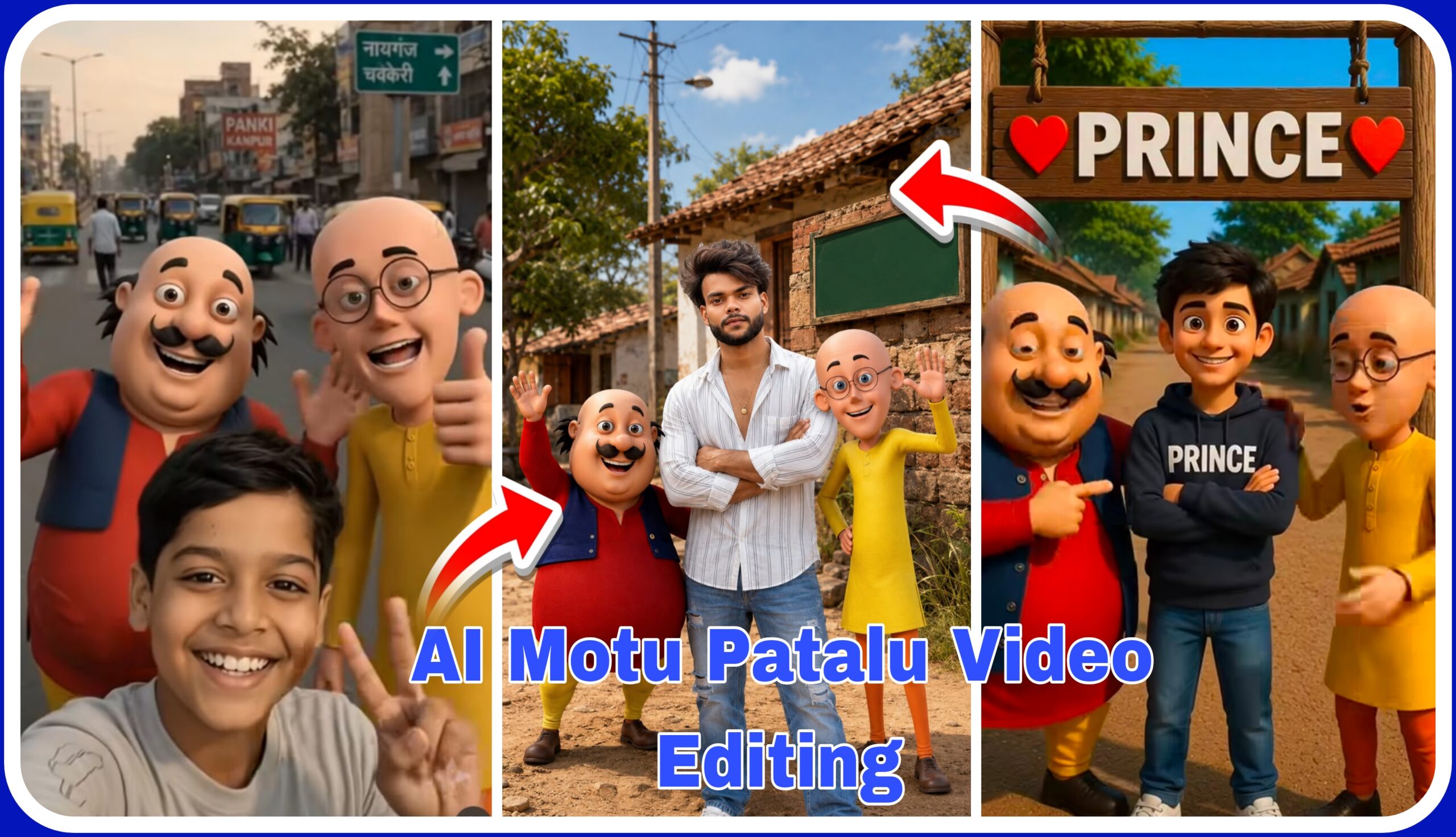
This video features a realistic AI selfie where a person is standing beside the famous cartoon characters Motu and Patlu under the Kanpur welcome gate. The characters smile, wave, and pose naturally as if they are taking a real selfie together. The busy road, moving vehicles, realistic lighting, and smooth camera movement make the entire scene feel lifelike. The combination of AI-generated characters and a real human face creates a unique and entertaining video that easily grabs viewers’ attention.
How to Make This Video
Making this AI video is very easy. First, copy the AI prompt that I will provide below this article. Then open ChatGPT, paste the prompt, and upload your own face photo. ChatGPT will generate a realistic AI image with your face perfectly blended into the scene. You can create many similar AI images by changing the background, location, characters, poses, or other elements. This method allows you to create unlimited creative AI images in different styles.

"A high-resolution, 4K detailed cinematic photograph of the man from image_0.png, standing in the exact same pose, central on the road, holding the same two 3D animated characters (Motu in red and Patlu in yellow) suspended by their clothes. The man's entire body, pose, sunglasses, black and white plaid shirt, white trousers, and black loafers are preserved perfectly from image_0.png. The only change is that the face of the man is replaced with the user's provided reference face, maintaining the same expression, lighting, and orientation. The background, including the golden hour sunset, the rural road, and the trees, remains identical to image_0.png. The scene is extended into a 9:16 vertical aspect ratio, revealing more of the road and sky while maintaining all core elements. The lighting is soft golden sunset light."
Video Prompt 👇🤯
अब नहीं आयेंगे किसी के गांव में दोनों को पकड़ लिया मैंने सालों ने तंग कर के रखा था ।अब हम किसी के गांव में नहीं जाएँगे हमे माफ़ कर दो Rohan Bhai हा हा
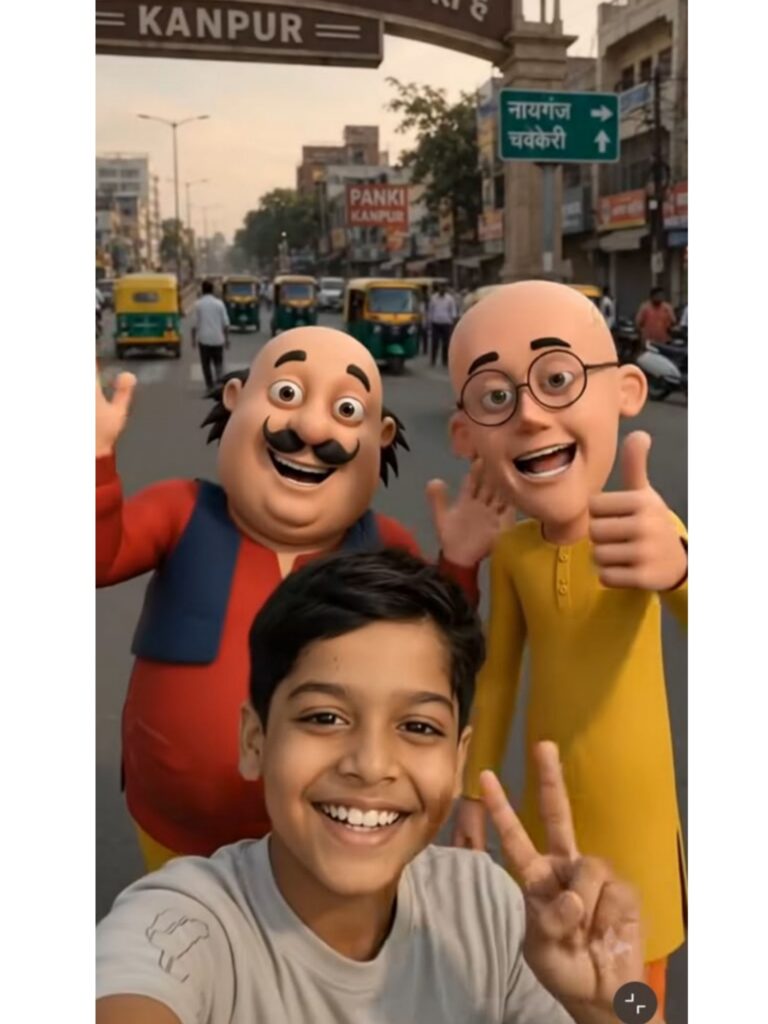
Photo Prompt 👇
"AN ULTRA-HIGH-RESOLUTION, 4K CINEMATIC PICTURE THAT RECREATES THE RURAL INDIAN VILLAGE SCENE SHOWN IN IMAGE_0.PNG. THE FACE OF THE BOY STANDING IN THE CENTER IS NOW AN EXACT LIKENESS OF THE SPECIFIC FACE PROVIDED. HIS OUTFIT REMAINS THE SAME (BLACK AND WHITE STRIPED SHIRT AND BLUE JEANS), BUT HIS POSE IS MORE CONFIDENT. TO HIS LEFT IS AN ACCURATE 3D MODEL OF MOTU (IN A RED SHIRT, BLUE JACKET, AND YELLOW PANTS, WITH A FRIENDLY WAVE), AND TO HIS RIGHT IS AN ACCURATE 3D MODEL OF PATLU (IN A YELLOW KURTA AND ORANGE PYJAMAS, WITH GLASSES AND WAVING HAND). THE BACKGROUND HOUSE, TREES, LIGHT POLE, AND DIRT ROAD ARE EXACTLY AS PER IMAGE_0.PNG. THE GREEN BANNER (SIGN) IS IN THE SAME PLACE ON THE WALL, BUT IT SAYS 'मेंहदावाल वाले', WITH LIGHT AND SHADOW MATCHING THE NEW, CLEAN LOOK OF THE BANNER. THE LIGHTING IS BRIGHT AND NATURAL SUNLIGHT, JUST AS IN IMAGE_0.PNG, BUT NOW WITH ADVANCED 4K DETAIL, INCLUDING TEXTURES (LIKE CLOTH WEAVE, SKIN PORES, AND CHARACTER PLASTIC), AND SHARP FOCAL SHARPNESS. THE OVERALL LAYOUT AND COMPOSITION OF THE SHOT REMAIN, BUT WITH ENHANCED DEPTH AND REALISM." photo Size 9:16
Video Prompt 👇🤯
हेलो दोस्तो आज हम फुरफुरी नगर से मोटू पतलू को लेते अपने शहर मेहदावल में लेकर आया हूं जिसके भी गाँव आना है कमेंट जरुर करें
How to Use Flow AI
Once your AI image is ready, open Flow AI and upload the generated photo. Flow AI will automatically animate the image and convert it into a realistic cinematic video with smooth facial expressions, camera movement, and natural motion. You can repeat the same process with different AI images to create many unique AI videos. Flow AI makes video creation simple and helps you produce professional-quality content within just a few minutes.
Conclusion
AI-generated selfie videos are an amazing way to create viral and engaging social media content. By generating your image in ChatGPT and animating it using Flow AI, you can create stunning cinematic videos without any advanced editing skills. Experiment with different prompts, characters, and locations to create unlimited creative AI videos that stand out and attract more views across all social media platforms.