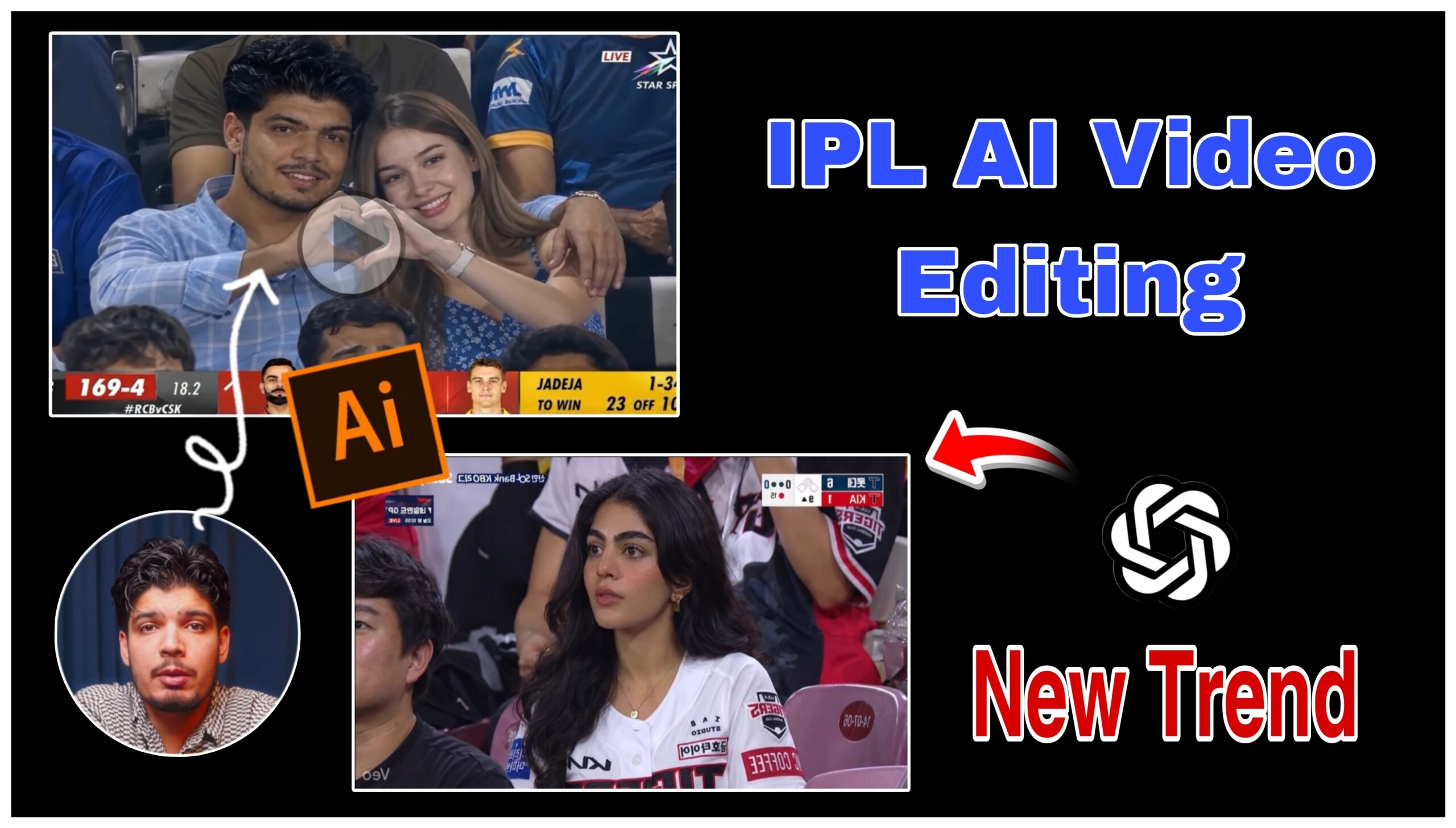
AI videos are becoming one of the biggest trends on Instagram Reels, YouTube Shorts, and TikTok. Every day, creators are making realistic match reaction videos where they appear inside a live IPL stadium wearing their favorite team jersey. These videos look cinematic, emotional, and extremely real, which is why they easily grab millions of views online. Many people think creating these kinds of videos requires professional editing skills, expensive software, or advanced animation knowledge. But the truth is, anyone can create these trending AI videos using only a normal photo and a few AI tools.
Details of ipl ai trending viral video
One of the easiest methods is using Google Gemini to transform your normal picture into a realistic IPL fan look and then using Flow AI to convert that edited image into a smooth cinematic video. This process is simple, beginner-friendly, and works perfectly for creating viral social media content.
In this article, you will learn the complete process step by step, from preparing your photo to generating the final AI video. If you follow every step carefully, you can create your own realistic IPL crowd reaction video within minutes.
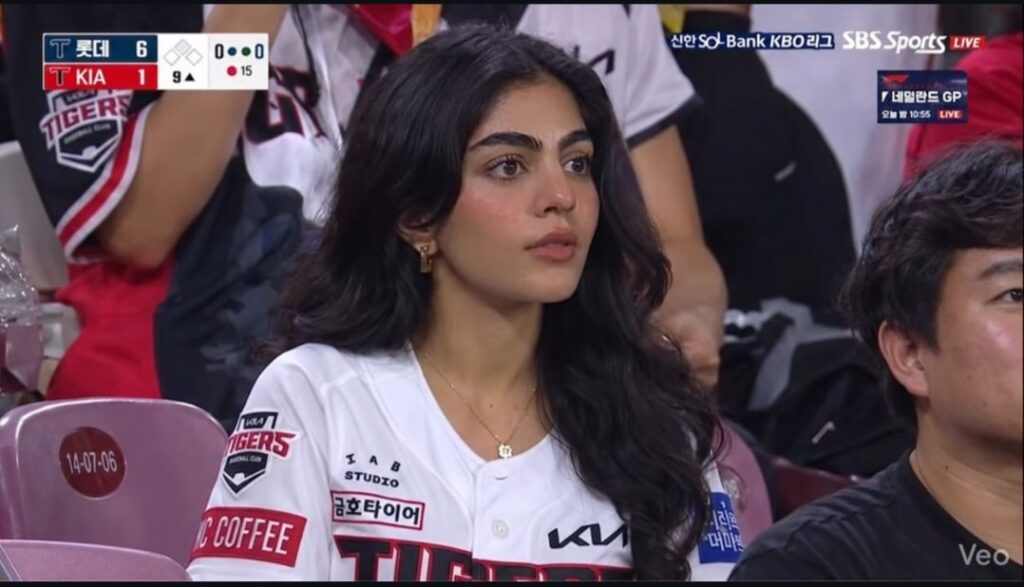
'Generate a "Realistic sports broadcast screenshot-style documentary photo taken in the spectator stands of a Korean professional baseball game. The person from the attached image is sitting in the stadium seats, looking toward the field with a surprised yet focused expression. Delicate facial features, soft glowing skin, natural Korean celebrity vibe.
Wearing a realistic KBO Lotte Giants jersey. Crowded stadium background, cinematic sports lighting, candid moment, ultra realistic photo, zoom lens feeling, live broadcast atmosphere.19: 1 landscape size".l
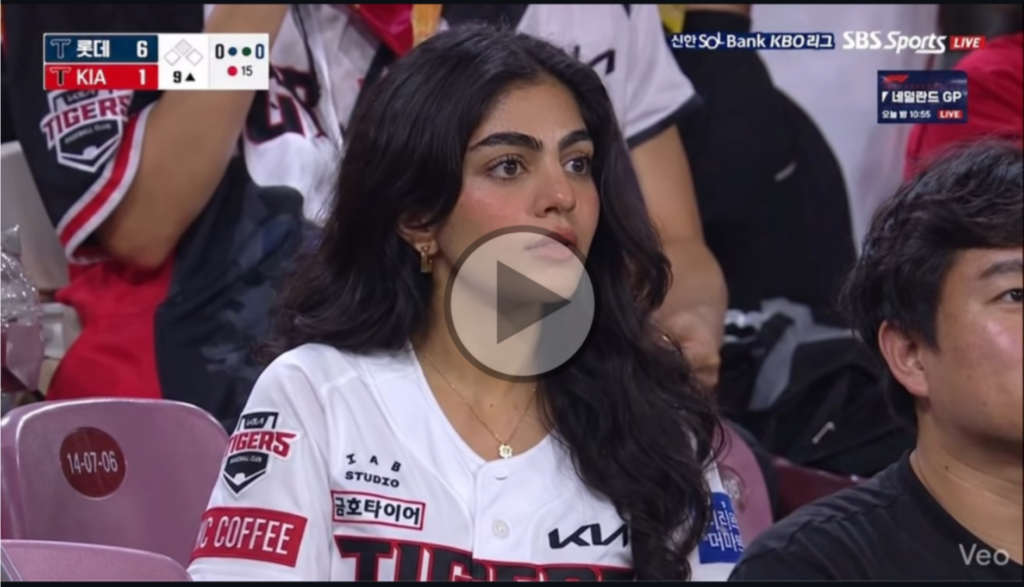
"Ultra-realistic Korean baseball live broadcast reaction shot using the uploaded image as reference. Keep the subject's face and identity 100% unchanged. Subject sitting in packed KBO stadium stands, wearing baseball jersey, looking toward the field with a surprised/focused expression. Live TV sports broadcast style, Korean scoreboard overlays, cheering crowd, stadium lights, subtle blinking, natural head movement, realistic crowd motion, slight handheld broadcast camera zoom-in. Documentary realism, authentic TV capture, 16:9, 1080p.
How to Create a Viral IPL Match AI Video
So hello friend, I am going to tell you about a video which is trending a lot on Instagram. I will teach you how to make such a video in a very easy way. First of all, you have to go to our website. There will be a prompt, copy it and go to Google Gemini. FIR, upload your normal photo with that prompt in Gemini. FIR, Google Gemini will edit your photo in the IPL match ground. FIR, after that you have to go to Flow AI. After that, upload your normal photo and convert it into a video. FIR, your IPL match video will be ready. FIR, by uploading it, you can go viral on Instagram. Yes and I have explained it in a very easy way step by step below.
Step 1: Choose a High-Quality Normal Photo
The first step is selecting a good-quality image of yourself. Your original picture plays the most important role because AI tools generate better results from clear photos. Try to use a portrait image where your face is visible properly. Avoid blurry, dark, or low-resolution images because they reduce the quality of the final AI output.
For best results, use a picture with natural lighting and a clean background. A selfie or a simple portrait clicked from a smartphone is enough. Make sure your facial expressions are visible because AI will use those details while transforming your image into a realistic stadium scene.
Most viral AI creators use photos where the face angle looks natural and cinematic. Slight side poses also work very well because they create a realistic match-viewing effect.
Step 2: Open Google Gemini
After selecting your picture, open Google Gemini on your mobile or computer. Gemini is a powerful AI tool that can generate realistic edits and transform your image into different styles. This is the main step where your normal image becomes an IPL-style fan photo.
Upload your selected picture into Gemini and give a detailed prompt describing the look you want. The more detailed your prompt is, the better your final image will look.
Step 3: Add IPL Match Atmosphere
To make the image look realistic, you should describe the stadium environment properly in your prompt. Viral AI videos usually look real because they include crowd lighting, scoreboards, audience blur effects, and sports broadcast visuals.These small details improve the realism significantly. The goal is to make the image look exactly like a live IPL camera captured it during an intense match moment.
You can even mention your favorite IPL team such as RCB, CSK, MI, or KKR to customize the jersey and atmosphere according to your choice.
Step 4: Generate Multiple AI Images
Do not stop after generating only one image. Create multiple versions using different prompts and expressions. Sometimes one image may look better than the others because AI generation depends heavily on prompt accuracy.These expressions are currently trending on Instagram Reels because they look more cinematic and relatable. Once you generate several images, choose the most realistic one for the next step.
Step 5: Download the Best AI Image
After generating your IPL-style picture, download the highest-quality version available. HD quality is important because Flow AI works better with sharper images.
Zoom into the image and check details like:
Face quality
Hair texture
Jersey realism
Lighting
Eyes and skin texture
Background blending
If everything looks natural, save the image to your device. This edited image will now be used for AI video generation.
Step 6: Open Flow AI
Now it is time to convert your static AI image into a realistic moving video. Open Flow AI, which is one of the most popular tools for creating cinematic AI motion videos.
Upload the IPL-style image you generated from Google Gemini. Flow AI uses advanced animation technology to add realistic camera movement, blinking effects, facial motion, and cinematic transitions.
This is the step where your image starts looking like an actual IPL broadcast clip.
Step 7: Add Motion Prompt in Flow AI
To get the best cinematic result, you should add a proper motion prompt inside Flow AI. Motion prompts help the AI understand how the camera and character should move.
Step 8: Edit the Video for Instagram Reels
After generating the video, you can make it even more viral by editing it inside apps like CapCut or VN Editor. Add trending IPL music, crowd sound effects, slow-motion moments, and color enhancement.
Popular editing tricks include:
Dramatic zoom cuts
Slow-motion reactions
Match commentary audio
Trending Instagram songs
Cinematic color grading
These small edits increase audience retention and help your video perform better on Reels and Shorts.
Step 9: Upload and Go Viral
Now your AI IPL video is ready. Upload it on Instagram Reels, TikTok, or YouTube Shorts using trending hashtags and engaging captions.
Examples of captions:
“POV: Camera caught me during IPL match.”
“AI turned me into an IPL audience member.”
“This looks too realistic.”
“Would you believe this is AI?”
Use hashtags related to IPL, AI video editing, and trending reels to increase reach.
Conclusion
Creating realistic IPL AI videos is now easier than ever. With just a normal photo, Google Gemini, and Flow AI, anyone can create cinematic sports reaction videos that look professionally edited. The secret behind viral AI content is realistic prompts, proper lighting, emotional expressions, and smooth motion effects.As AI tools continue improving, creators now have the ability to produce high-quality content without expensive equipment or advanced editing skills. By following this method step by step, you can easily create trending IPL-style AI videos for Instagram and attract thousands or even millions of views online.The best part is that this process is beginner-friendly and works directly from your smartphone. So if you want to join the latest AI video trend, start experimenting with your photos today and create your own viral IPL crowd reaction video.