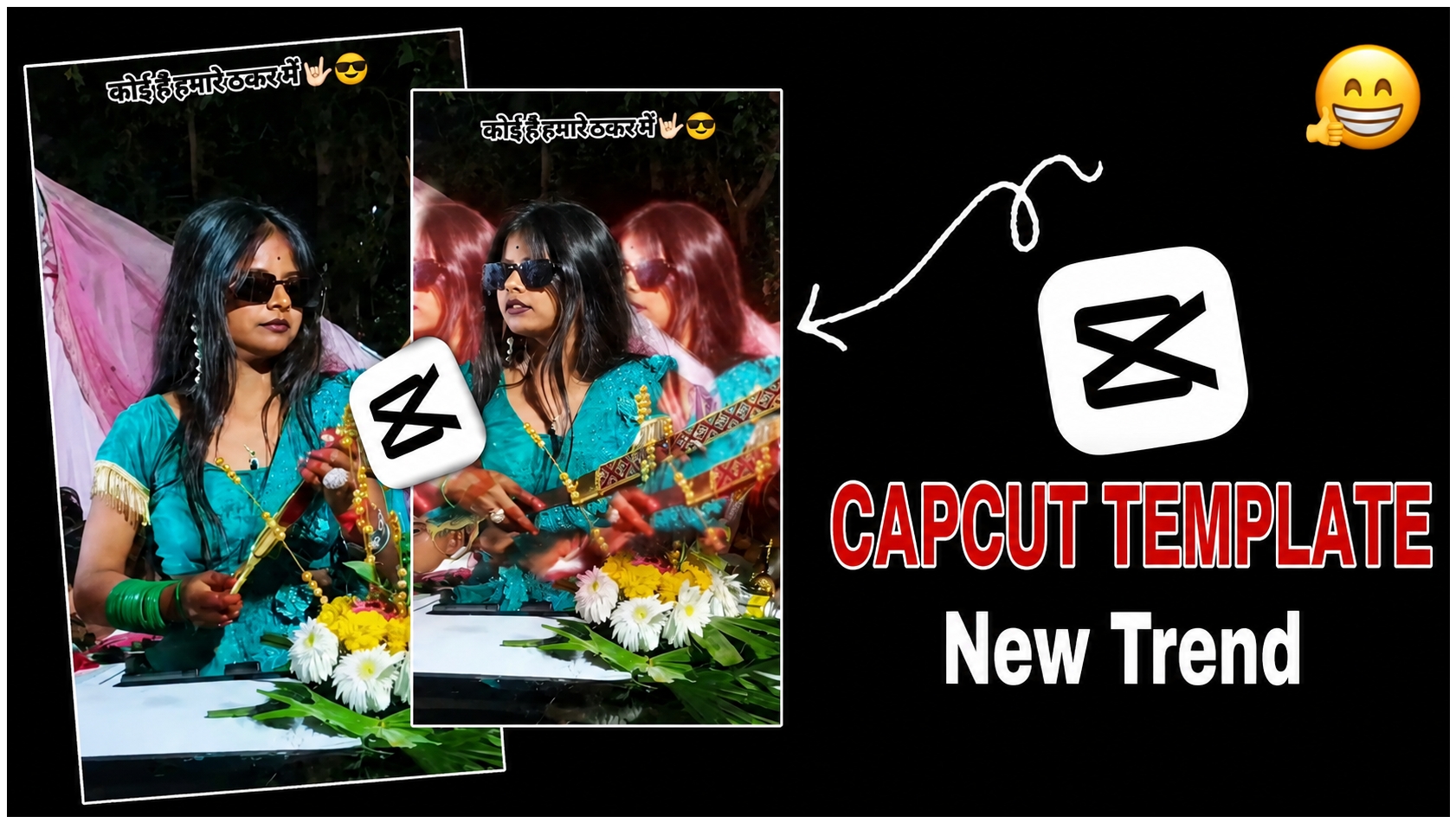
Instagram reels with attitude edits and stylish effects are becoming very popular on social media. One of the most trending styles right now is the “Rangdari” attitude reel. In this type of video, creators use slow motion clips, stylish transitions, black glasses looks, and powerful music beats to create a strong and confident vibe. This reel was also created using CapCut and the famous “Rangdari” song. Different visual effects were added to make the video look cinematic and eye-catching.
This type of edit is perfect for Instagram reels, YouTube shorts, and WhatsApp status videos. The combination of music, effects, and smooth transitions gives the video a professional look even when edited on a mobile phone.
How to create rangdari capcut Template
Step 1 – Record Your Video
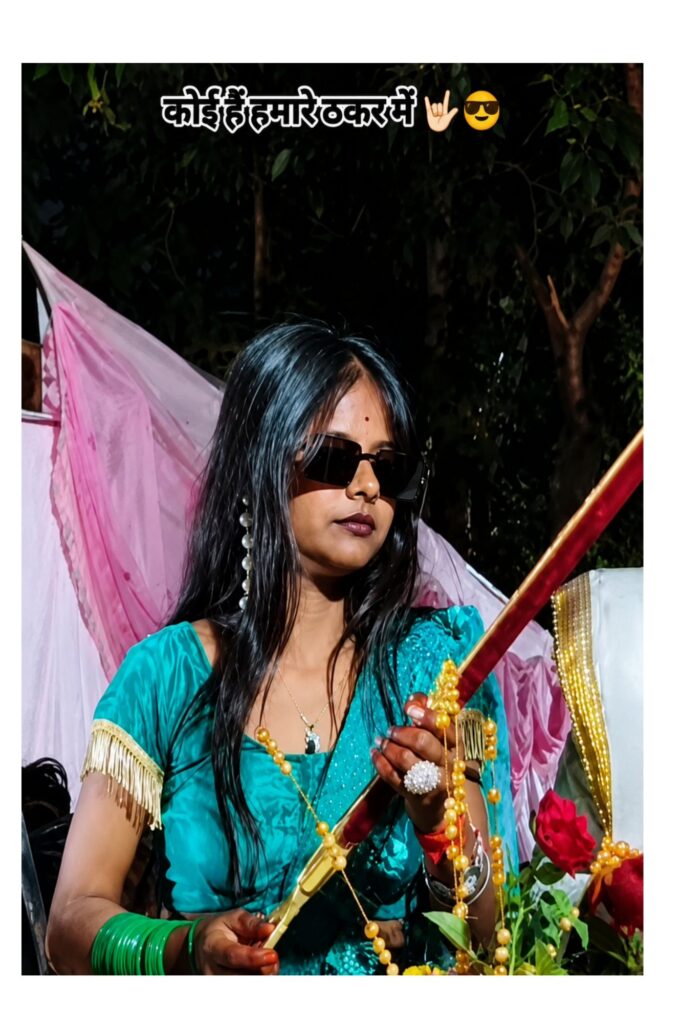
The first step is recording a good quality video. Try to shoot your video in portrait mode because Instagram reels work best in vertical format. Wear stylish clothes and accessories like sunglasses to create an attitude look. In this reel, the green outfit and black sunglasses helped create a powerful visual style.
While recording, use confident expressions and slow hand movements according to the beat of the song. Good lighting is also very important. Outdoor evening lighting or decorative event lighting can make the video more attractive.
Step 2 – Import Video into CapCut
After recording the clips, open the CapCut app and create a new project. Import all your video clips into the timeline. Arrange them according to the beat of the Rangdari song.
CapCut is one of the best editing apps because it provides professional effects, transitions, filters, and beat sync options for free. It is easy to use and perfect for beginners.
Step 3 – Add the Rangdari Song
Now add the trending “Rangdari” song to your project. Music is the main element of this type of reel because every transition and effect matches the beat of the song.
After adding the audio, use the beat mark feature in CapCut. This helps you place cuts and transitions exactly on the music beat. Beat sync editing makes the reel look smooth and professional.
Step 4 – Use Slow Motion Effects
Slow motion is one of the most important effects in this reel. It gives a stylish cinematic feeling and highlights expressions perfectly.
In CapCut, select the clip and use the Speed option. Reduce the speed during important moments like face reveals, sunglasses looks, or weapon-style poses. Smooth slow motion creates a powerful impact and keeps viewers engaged.
Step 5 – Add Flash and Shake Effects
To make the video energetic, flash effects and shake transitions were used. These effects match perfectly with aggressive music beats.
Use:
Camera Shake Effect
Flash Transition
Motion Blur
Beat Zoom Effect
These effects make the reel more dynamic and trendy. Do not overuse them because too many effects can reduce video quality.
Step 6 – Apply Clone and Overlay Effects
One of the coolest effects used in this reel is the clone effect. Multiple copies of the subject appear on the screen, creating a stylish visual appearance.
To create this:
Duplicate the video layer
Add overlay clips
Change opacity and blending mode
Add motion blur for smooth movement
This effect is very popular in attitude reels and gives the video a high-quality editing look.
Step 7 – Add Black and White Transition
A black-and-white transition effect was also used in some scenes. This effect creates dramatic contrast and makes the colorful scenes more impactful.
In CapCut:
Split the clip
Add black-and-white filter for a few seconds
Return to normal color on the music beat
This transition creates a cinematic vibe and increases audience attention.
Step 8 – Use Particle and Confetti Effects
The reel also includes particle and confetti effects falling in the background. These effects make the video more stylish and premium.
In CapCut, go to the Effects section and search for:
Confetti
Snow Particles
Sparkle Effect
Light Leaks
These effects improve the overall visual quality of the reel.
Step 10 – Add Stylish Text
The text “Koi Hai Hamare Takkar Mein” was added at the top of the reel to match the attitude vibe. Stylish fonts with bold outlines make the text more visible.
Use:
Bold Font Style
White Text with Black Shadow
Emoji for extra attitude
Text animation can also make the reel more attractive.
Conclusion
This trending Rangdari reel was completely edited in CapCut using powerful transitions, slow motion, flash effects, clone effects, black-and-white transitions, and cinematic color grading. The stylish attitude look, sunglasses style, and energetic music beats helped make the reel more engaging and viral-worthy.CapCut makes it easy for anyone to create professional reels directly from a smartphone. With the right music, creative effects, and smooth editing, you can also create trending Instagram reels and grow your social media audience quickly.