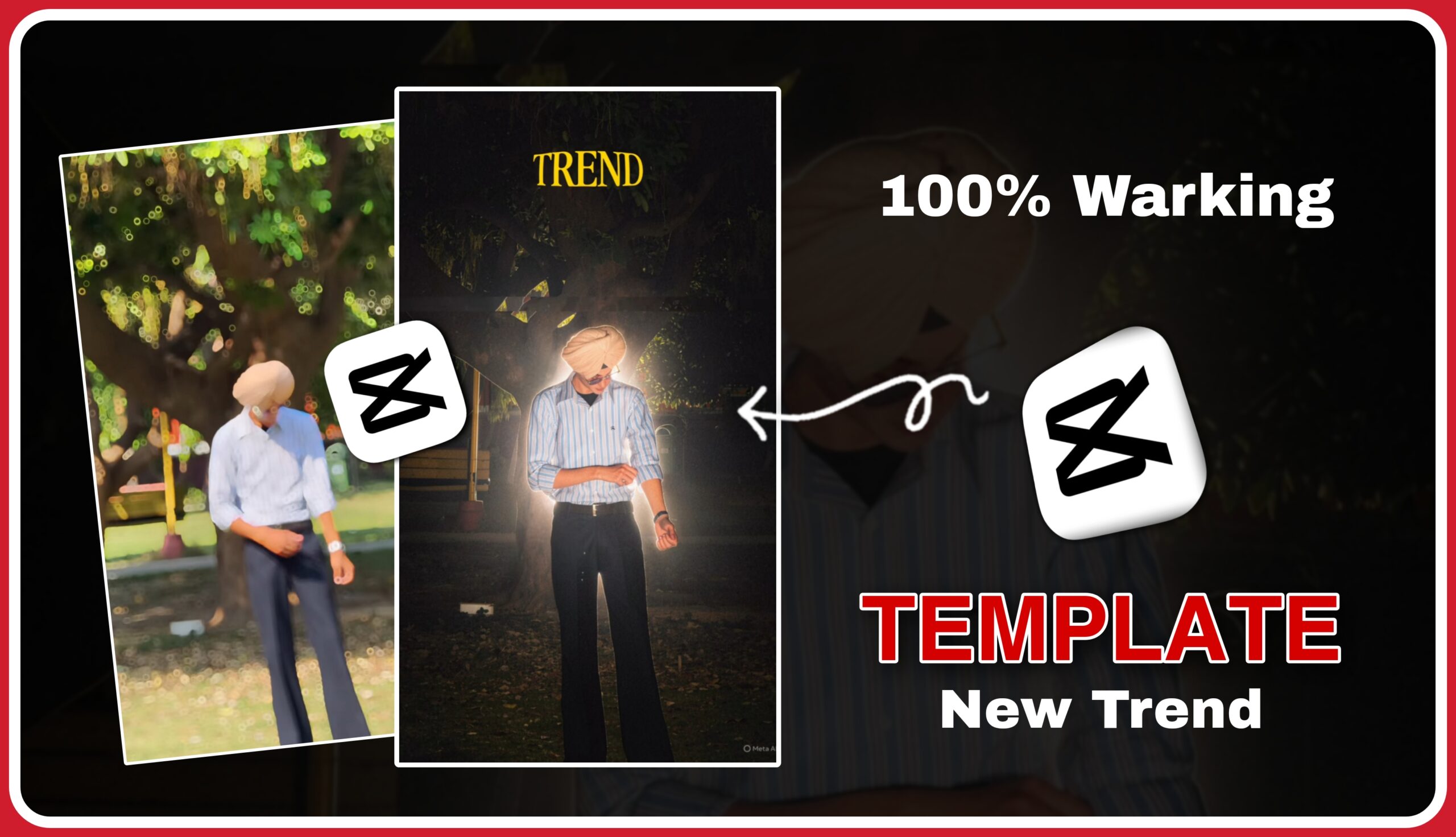
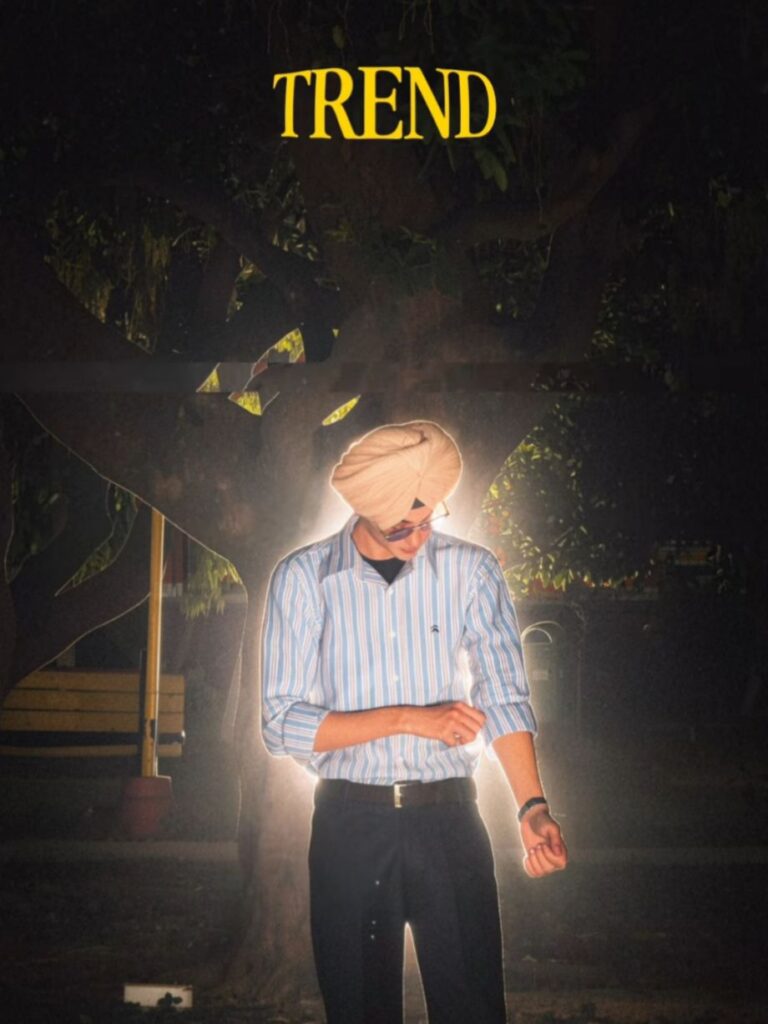
Short-form video platforms like Instagram Reels and TikTok are currently buzzing with a new video trend featuring a striking transition. The video starts with a casual daytime clip that suddenly cuts to a high-contrast nighttime look illuminated by strong backlighting, all synced to a popular Punjabi track.
If you want to jump on this trend quickly without complex editing skills, using a CapCut Template is the easiest way to do it. Below is a step-by-step guide on how to create this exact video.
Key Elements of the Trend
Before diving into the steps, here are the core components that make this specific video trend stand out:
The Transition: A sharp jump cut from a daytime setting to a dramatic night aesthetic.
The Lighting: A strong backlight (often from car headlights or a bright street lamp) that creates a silhouette/halo effect around the subject at night.
The Overlay Text: A bold, stylized text overlay reading “TREND” accompanied by specific emojis (such as a cheetah and a skull ).
The Audio: Synced perfectly to an energetic Punjabi transition track.
Step-by-Step Guide to Using the CapCut Template
Follow these simple steps to recreate the video using your own photos or clips
Step 1: Prepare Your Media
To make the transition work effectively, you will need two distinct pieces of media:
Clip/Photo 1 (Daytime): A casual shot of you standing or walking outdoors during the day.
Clip/Photo 2 (Nighttime): A shot taken in the dark with a strong light source directly behind you to recreate the glowing edge effect seen in the video.
Step 2: Find the Template
Open your CapCut app and head to the Template tab.
In the search bar, type keywords like “TREND Punjabi Song”, “Day to Night Backlight”, or look up the creator handle visible in the trend (“tera_lovelyyyy_0.3”).
Select the template that matches the layout—look for the bold “TREND” text overlay and the specific emoji combo.
Note: If CapCut is restricted in your region, ensure you are utilizing a secure VPN connection before opening the app to allow templates to load correctly.
Once you have selected the template, tap on “Use Template”.
Select your daytime clip/photo for the first slot.
Select your backlight nighttime clip/photo for the remaining slots where the beat drops.
Preview the video to ensure the transition aligns smoothly with the music.
Step 4: Export and Share
Once you are satisfied with the preview, tap Export in the top-right corner.
Choose “Export without watermark” to save it directly to your device.
Upload the video to Instagram Reels or TikTok, making sure to use the official trending Punjabi audio track to maximize your reach and visibility on the algorithm
Ek Viral Reel Banane Ke Liye Pro-Editing Tips
Using templates is easy, but if you want to give your video more visual impact, keep these tips in mind:
Daylight Scene: The initial daylight shot should be a bit unique and have a normal look. Keep your posture and body language smooth.
Stable Foot: The video should be steady. In very shaky videos, the body outline doesn’t trigger properly.
Dark Night Scene: In the dark transition area of the video, the background brightness should be low. This makes the outline effect appear more prominent and professional.
Viral Audio: After creating the video, when you share it on Instagram , don’t forget to apply trending and viral music.
Conclusion
The CapCut template is currently trending a lot on Instagram Reels and short video platforms. Its unique daylight-to-night transition, glowing body outline, and leopard/skull emoji overlays give any simple video a cinematic and aesthetic look.
If you also want to create a high-quality and viral-ready video with less effort, you can use this template by following this step-by-step guide. Just make sure your video is stable and the background is slightly dark after the transition, so that the glowing effect can be highlighted in the best possible way.
Edit your video, add trending music, and get ready to make your Reel go viral!
Are you facing any difficulties in finding or using this template in CapCut?